
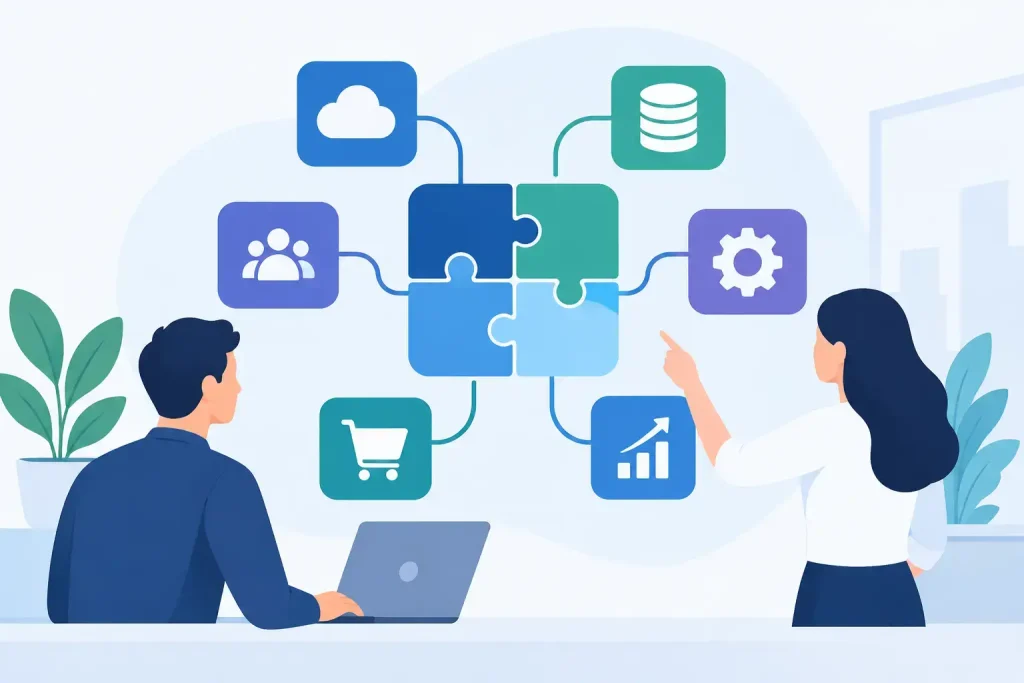
A customer calls to ask about an overdue order. Your team can see their contact details in the CRM, but not the invoice status in the accounts package, the delivery update in the operations system or the last support conversation. Someone opens three tabs, sends two messages and puts the customer on hold. Custom software integration is what turns that fragmented moment into a useful, informed conversation.
For many growing businesses, the problem is not a lack of software. It is that each system holds a different version of the truth. Sales, finance, service and operations may all be working hard, yet still spend time chasing information that should already be available. The right integration connects the systems you rely on around the way your people actually work.
What custom software integration means in practice
Custom software integration allows separate applications to exchange the right data at the right time. That may mean creating or updating a customer record in your CRM when an order is placed, showing account balances to a sales team before they make a call, or passing qualified website enquiries into a marketing automation platform.
The word custom matters. Off-the-shelf connectors can be useful where processes are simple and standard. But many businesses have approval stages, pricing rules, customer categories, reporting needs or legacy systems that do not fit a standard template. A tailored integration is designed around those real-world requirements rather than asking the business to change everything to suit a connector.
It does not always mean building a large application from scratch. Often, it means using available APIs, secure data exchanges and carefully defined rules to connect existing systems. The value comes from choosing what should move, when it should move and who should be able to act on it.
Start with the process, not the software
The most successful projects begin with a practical question: where is work being repeated, delayed or lost?
A sales manager may need advisers to see recent support cases before renewal discussions. Finance may need customer and order data to arrive consistently, without rekeying. An operations team may need a CRM update only after a job has been completed and approved. These are process questions first. The technology follows.
Mapping the current journey often exposes issues that have become normal: spreadsheets maintained outside core systems, email handovers with no ownership, duplicate customer records or reports built from manually exported files. Not every issue requires integration. Sometimes a better CRM configuration, clearer data ownership or a simpler process is the right answer. Connecting poor processes faster simply makes problems travel faster.
Before any technical design begins, establish the outcome. It might be reducing order administration, improving first-call resolution, shortening sales preparation or giving managers reliable pipeline and revenue reporting. A clear outcome makes it easier to decide which data is worth connecting and how success will be measured.
Decide which system owns each piece of data
One of the most common causes of integration problems is letting multiple systems edit the same information without clear rules. If the CRM and accounting platform can both overwrite a customer address, which one wins? If an ERP system changes an order status, should that update instantly in the CRM, or only after finance approval?
Each important field needs a recognised source of truth. In many businesses, the CRM owns sales contacts and relationship activity, the accounting system owns invoices and payment status, and the ERP or operations platform owns stock, fulfilment or job information. The exact division varies, but ambiguity is costly.
It is also worth agreeing on matching rules. Customers may appear under trading names, legal company names or slightly different spellings. A reliable integration should use agreed identifiers where possible, such as account numbers or email addresses, rather than relying solely on names. This reduces duplicates and gives teams greater confidence in what they are seeing.
Where integration delivers the clearest gains
CRM-to-accounting integration is a frequent priority for small and mid-sized organisations. When sales teams can see credit status, outstanding balances and invoice history in the appropriate place, they can have better commercial conversations. Finance avoids being asked for the same information repeatedly, while access controls can ensure sensitive detail is only visible to those who need it.
CRM-to-ERP integration is particularly useful where the customer journey continues beyond the sale. Sales can see order progress without chasing operations. Customer service teams can provide accurate updates. Operations can receive clean customer and order information without re-entering it. The aim is not to expose every ERP field in the CRM, but to make the information relevant to the person using it.
Marketing automation is another valuable connection. A website enquiry, event registration or product interest can be captured against the right CRM record and placed into a suitable follow-up journey. Sales teams then see engagement history, while marketing can avoid sending irrelevant communications to existing customers or contacts who have already taken action.
Telephony integrations can also improve day-to-day service. When an inbound call presents the relevant customer record, teams start with context rather than questions. Call outcomes can be logged consistently, and managers gain a clearer view of activity. This is most effective when it supports a defined service process, rather than becoming another source of data nobody uses.
Design for exceptions, not just the happy path
A demonstration can make integration look straightforward: record A is created in one system and appears in another. The harder and more valuable work is deciding what happens when reality intervenes.
What if a customer record is missing a required field? What if the receiving system is unavailable for an hour? What if two users amend the same contact in different places? What happens when an order is cancelled, partially fulfilled or credited? These situations should be designed and tested deliberately.
Good integrations include sensible error handling, logging and alerts. They make it possible for the right person to identify a failed transaction, understand why it failed and correct it without involving a developer every time. This is not glamorous work, but it protects the value of the project over the long term.
Data protection also belongs in the design phase. Customer data should only flow where there is a legitimate business need, with appropriate permissions, retention rules and security controls. For UK organisations, this includes considering UK GDPR responsibilities, particularly where personal data is shared across cloud platforms or processed by third parties.
Choose the right level of automation
Not every task should happen instantly. Real-time integration is useful where someone needs immediate information, such as an adviser checking the latest service status during a call. Scheduled updates may be more appropriate for overnight reporting, large data volumes or processes that need a daily approval point.
There is a trade-off. Real-time connections can improve responsiveness, but they may cost more to build and monitor. Batch updates can be simpler and more economical, but teams need to understand that the information may not be current to the minute. The right choice depends on the operational consequence of a delay.
Similarly, automation should remove routine effort, not remove judgement where judgement matters. A system can assign leads based on territory, create follow-up tasks after an enquiry or flag an overdue account. A person may still need to decide how to approach a strategically important customer. The best designs give people better information and more time for the work that requires experience.
Treat integration as an ongoing business capability
A custom integration is not finished simply because it goes live. Software providers release updates, business processes change, new products are introduced and teams find better ways to work. Without monitoring and ownership, a useful connection can slowly become unreliable or irrelevant.
Plan for support from the outset. This includes documenting how the integration works, agreeing who responds to alerts, reviewing data quality and checking whether the original business outcome is being achieved. A monthly review may reveal that a field is no longer needed, an approval process is causing delay or a new automation opportunity has emerged.
This ongoing approach is particularly useful for organisations without a large internal IT team. A long-term technology partner can combine technical oversight with an understanding of the business behind the systems. At enable.services, that means recommending the approach that fits the operational need, rather than steering clients towards a single vendor.
Questions to ask before committing
A worthwhile integration project should be able to answer a few direct questions. Which manual actions will disappear? Which teams will benefit, and how will their work change? What data is genuinely needed? Who owns each record? How will errors be found and resolved? What happens when either platform changes?
It is also sensible to start with a focused first phase. Connecting the highest-value process can prove the approach, improve confidence and provide lessons for later work. Trying to integrate every system and every field at once can create unnecessary cost and complexity.
The best next step is often to sit with the people doing the work and follow one customer journey from first enquiry to payment, delivery and ongoing support. The gaps usually become visible quickly. Those gaps are not just technical inconveniences – they are opportunities to give your team more time, your customers better answers and your business information it can trust.