
We created a CRM in a spreadsheet using ChatGPT & Gemini AI. Here’s how it went.
Creating a sales CRM that tracks your leads and opportunities is reasonably simple, even without much technical knowledge. It’s a system that helps manage your sales and maintain your relationships. If you’re unsure what a CRM entails, we have a CRM explainer here.
It’s something that you can also do in a spreadsheet to keep your sales tracking simple, but there are question marks about how scaleable spreadsheets are compared to an actual CRM.
However, now that anyone can access ChatGPT and Gemini to take the brunt of the leg work for you, can either of these AI tools improve your spreadsheet to make it a proper CRM? And can they do it while still being accessible to your least technical user?
Let’s put the world’s most popular AI tools to the test.
The brief and requirements
Before we task any AI client with a request as big as this, it’s important that we establish what to feed it. AI tools respond better to prompts that offer more detail. ChatGPT and Gemini should provide better results with more direct instructions.
Here is our brief with some requirements:
Brief: We’ll use ourselves at enable in this example, looking to create a CRM for our company selling hosting services for marketing platform Mautic, and professional services for it. There are elements that we need to include on our spreadsheet that make any sales process work, and these will be included as part of the prompt.
To keep the focus of the CRM to its primary use case, this will not be used to track projects, generate quotes and letters, or any feature beyond the tracking of sales and communications.
And so that the CRM can be worked on when working away from an office space and to keep costs down, this will be hosted on Google Sheets.
With these considerations in mind, the prompt for each AI tool will be the following:
Create a Google Sheet document that will be used as a CRM for my company for 2026.
The company offers two products to B2B clients: hosting of the Mautic marketing platform, and professional services for the Mautic platform. The CRM will host all of my customer’s information and communications with my clients.
The CRM needs four sheets with the following columns for data:
- Sheet name: Leads
- Columns: First Name, Last Name, Telephone No., Email address, Product interested in (Choice between Mautic hosting, and Mautic PS), Lead Source, Campaign, Account, Status (Choice between Active, On-hold, Converted, Dead)
- Sheet name: Contacts
- Columns: First Name, Last Name, Telephone No., Email address, Lead Source, Campaign, Account [must be able to link to a record in the ‘Accounts’ sheet], Status Opportunities, Last Contact Date, Status (Choice between Customer, Dead & Ex-Customer), Department/Role, Interactions
- Sheet name: Accounts
- Columns: Company Name, Company Reg. no., Website, Email Address, Billing Address, Description, Products (Multi-selection from Mautic hosting & Mautic PS), Industry, Contacts [must be able to link to at least one record in the ‘Contacts’ sheet]
- Sheet name: Opportunities
- Columns: Sales Stage (Choice between Prospecting, Qualified, Proposal Sent/Negotiation, Won, Lost), Value Amount, Expected Close Date, Account [must be able to link to a record in the ‘Accounts’ sheet and cannot be empty], Lead Source
Populate each sheet with 5 records of dummy data that demonstrate the links between boards working correctly.
If any relevant information to create the CRM is missing, tell me what is required before generating the CRM in Google Sheets. If it cannot be produced in Google Sheets, generate a .csv file using the same parameters.
This prompt is detailed enough to give as a good start while also being at the limit of what a non-technical person would ask, and recommendations for features missing can be followed for a better system. Let’s see how each AI model does.
ChatGPT’s CRM
For ChatGPT, it cannot create to Google Sheets directly, so it generates a .xlsx file (used by Microsoft Excel) for the best results on import to Google Sheets. It asked to clarify the multiple choice columns in the Accounts sheet as the formatting is supported in Google Sheets, but not a .xlsx file:
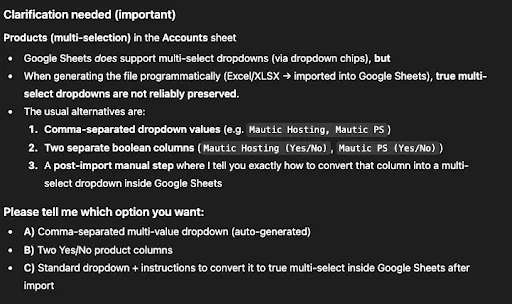
As our business only offers two products, both of which are closely related to each other, we’ll use the second option of separate columns for each service.
After clarifying this, ChatGPT created the CRM, with instructions and recommendations.
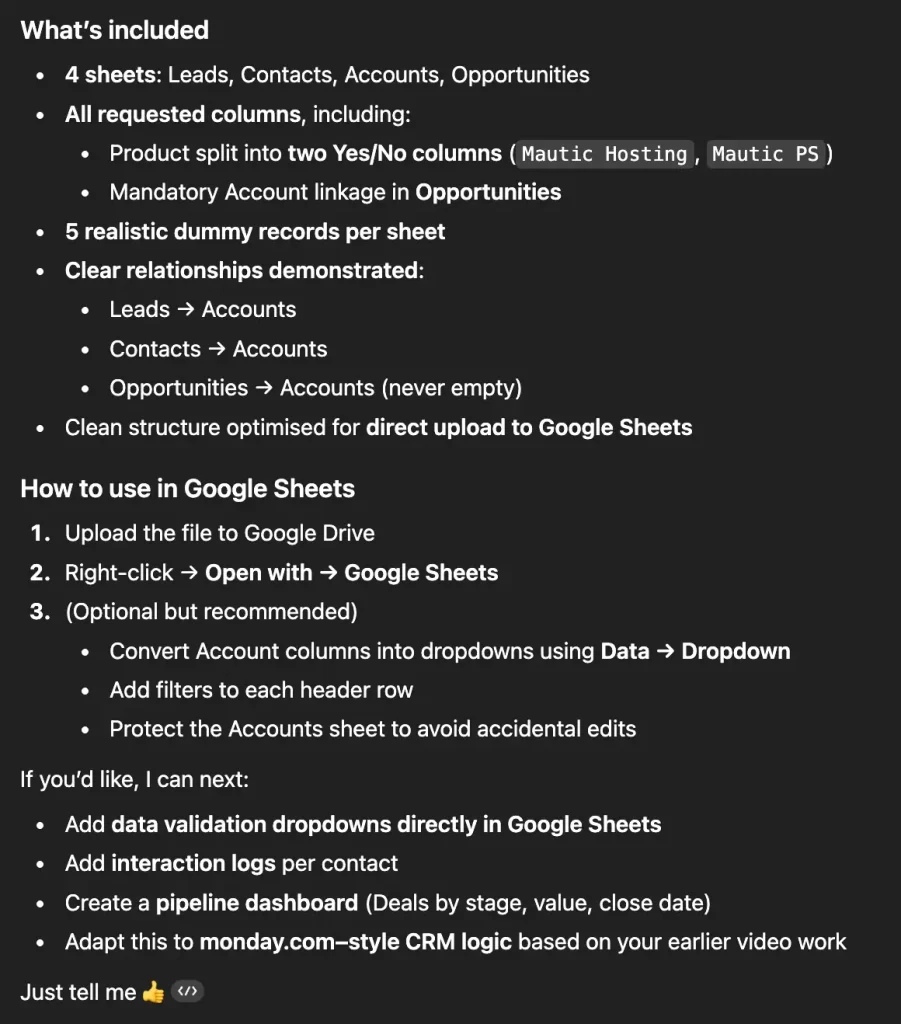
Including the recommended instructions in the 3rd point, this is the result in Google Sheets:
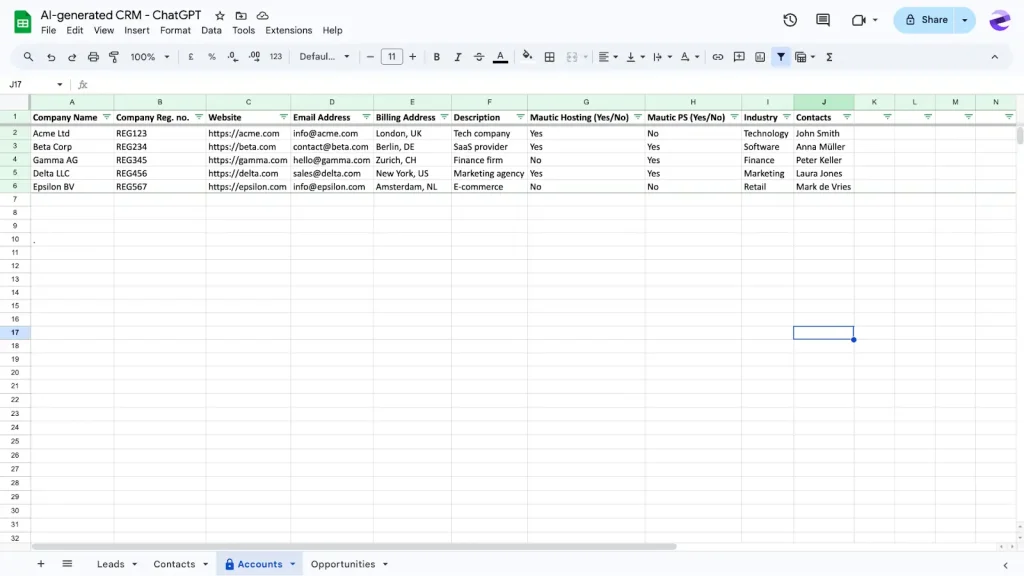
As it currently stands, the CRM is quite basic. The columns which show the relationship between records in different sheets (such as Contacts in the Accounts sheet as you see in the above screenshot) do not directly connect to the Contacts sheet. Any changes would need to be completed manually, or with work formatting the sheet further to make that connection.
It has all of the columns as requested, including a column for interactions with Contacts, but in its current form, it only offers one cell to create these interactions. This means logging every interaction fully will be difficult.
ChatGPT offers a solution to this problem in its further recommendations, as well as creating a dashboard for reports. The last prompt won’t be relevant as this points to enable’s previous video content for reference.
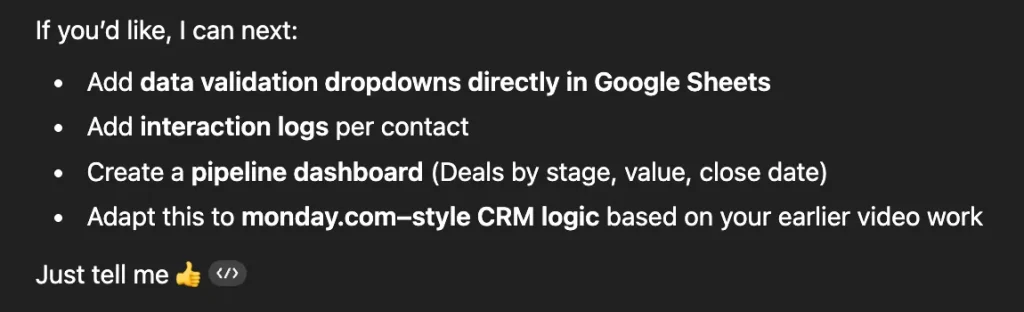
We attempted to generate a fresh file with the first three recommendations, but a limitation was hit with ChatGPT here.

The same message was given multiple times, with an hour break between requests. The only ways to overcome this are either by paying for it or waiting an unspecified time for the service to be available.
After a few requests, it provides instructions instead for each of the recommendations. The instructions for data validation works to create dropdowns as intended.
However, the interaction logs are a rudimentary sheet that adds any interactions you have, and then recommends you filter by the contact. This might work as intended, but speaking with your clients is going to fill this up rapidly. It’s not really sustainable.
And the dashboard is simply some cells with the data accumulated from the values of the Opportunities sheet. Good for basic counting of deal values, but really not much else.
So the results given here will give a solution that can work, but it lacks relationship linking and a sustainable way to log communications with your clients. It works in a pinch, but you are leaving a lot of information to manual input with this solution.
Let’s see if Gemini can do better…
Gemini AI’s CRM
With the same prompt, Gemini also offered a .xlsx file as it cannot open directly in Sheets.
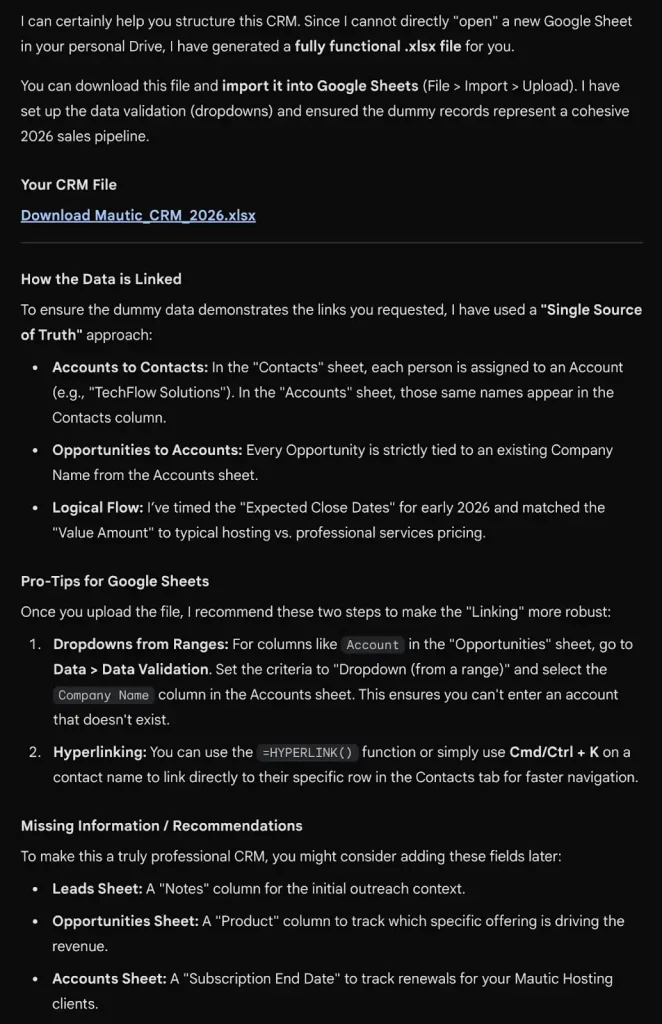
Gemini presented a similar suggestion to ChatGPT and offered an updated version with a dashboard, including formulas to show progress reports.

Before downloading the current version, we went straight ahead and told Gemini to create it.
However, another issue that is common with AI platforms comes when downloading files generated by them. They often host it within a sandbox environment, but not all systems are capable of reading it to complete the download. In this instance, clicking either this or the original link opens a Google Search for the sandbox download rather than download the file.
When prompted this, Gemini explains the issue, and offers an alternative that creates everything using .csv instructions.
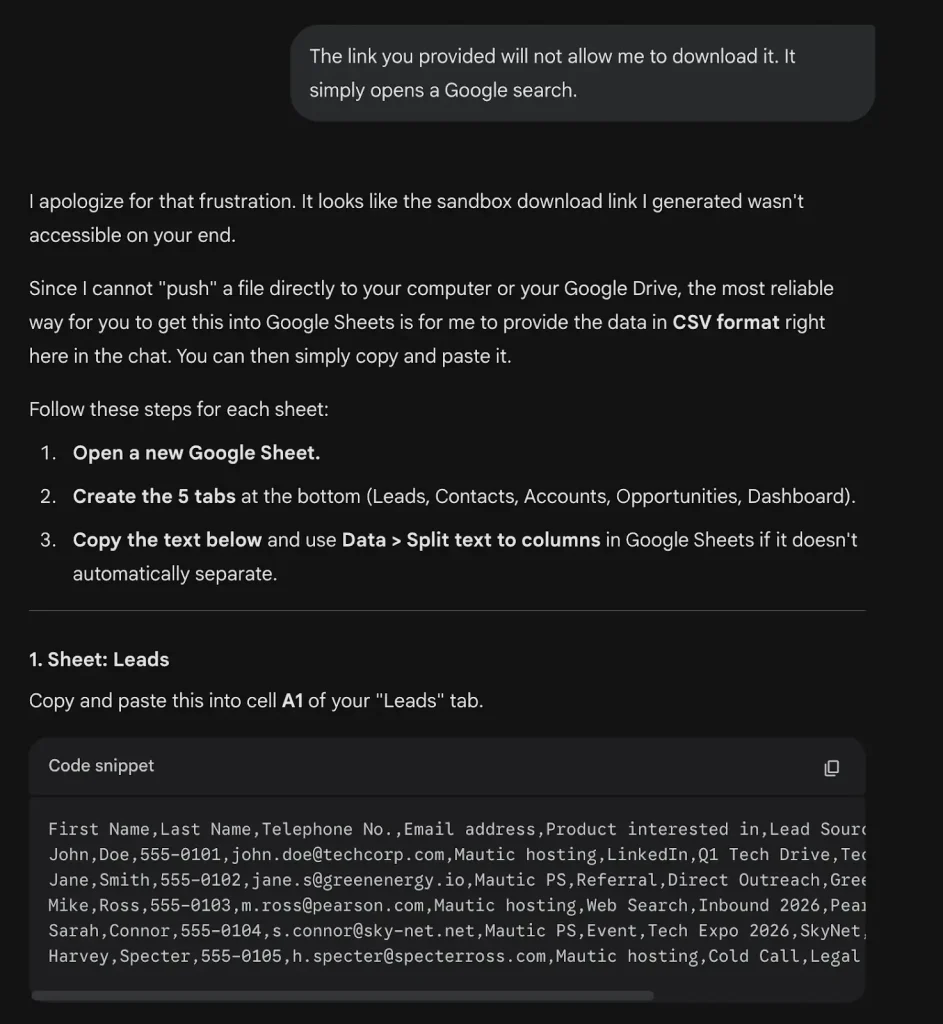
After following the instructions provided, Gemini’s CRM looks like this:
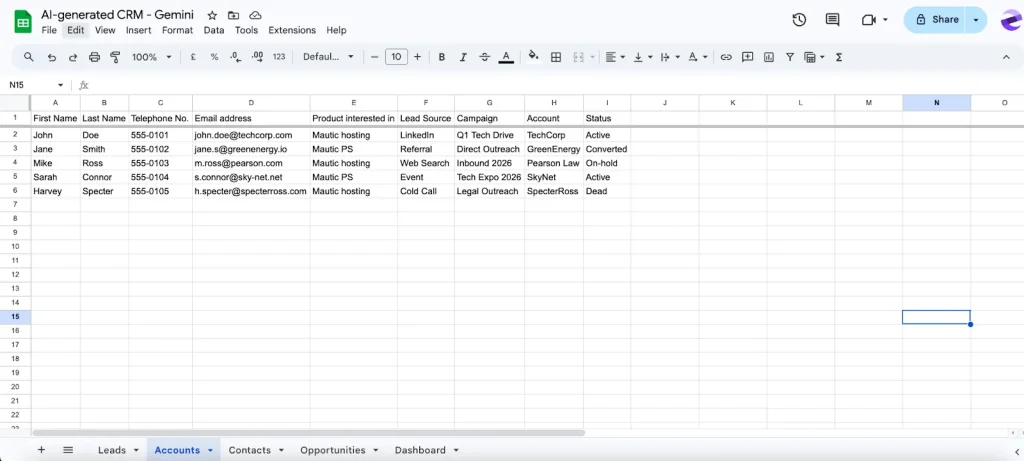
The Gemini created version is similar to the ChatGPT version. The generated .xlsx file with the data validation recommendation offers identical levels of basic functionality. However, like the ChatGPT version, it cannot create a genuine relationship with the other data in the CRM in a simple way. So this means that when you add a contact from an existing client, you would have to add them to the account pages manually, or using complex formatting.
It also included some errors that were not present in the ChatGPT version, such as including First and Last name columns in the Accounts sheet where it would not be applicable.
And while the dashboard works, its issues echo that of ChatGPT’s attempt.
So much like that version, the Gemini AI attempt at a CRM is heavily compromised. Creating relationships between records takes more work than most users will be able to handle, interaction logs are difficult, and reporting is mostly non-existent.
The clear advantages of a bespoke CRM
We established for this experiment that this solution needed to be simple enough for a non-technical minded person to understand and generate themself. Having attempted each of the major AI tools, the conclusion is that a CRM solution is always going to be limited by the foundations that it’s built on.
Spreadsheets are, in reality, good at keeping records and track of numbers, but that’s about it. That’s not the fault of either AI tool. In fact, when prompted that it’s not working as well as hoped, both AI models agree that it’s not a great fit (especially on ‘linking’ records) and it suggests alternatives for how to use Sheets, or different software:
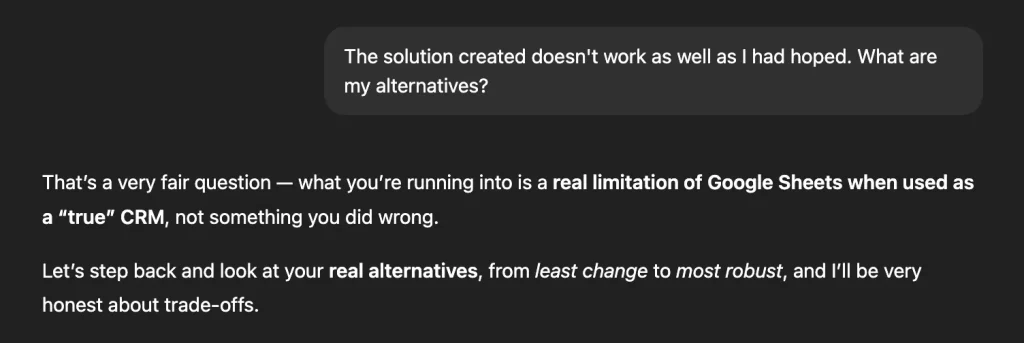
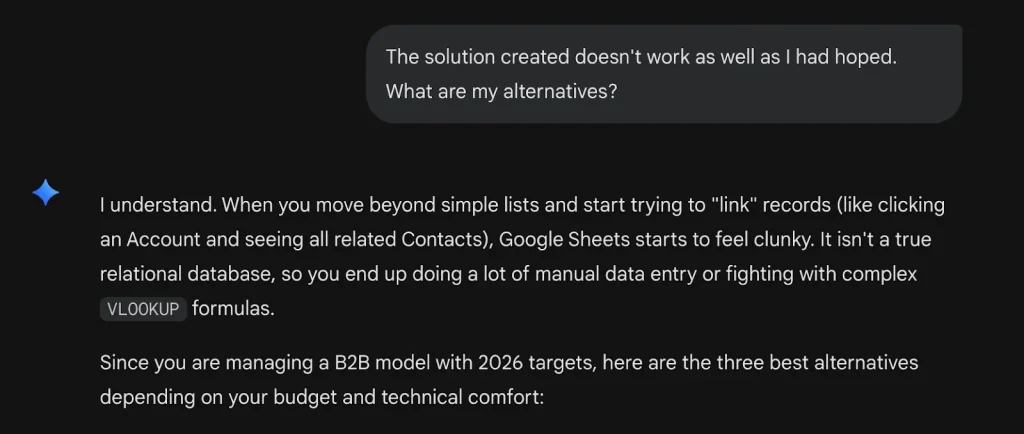
The common thread in the suggestions of both models is that a proper CRM is your best option.
A CRM built on a spreadsheet, even with the assistance of AI as helpful as ChatGPT and Gemini, is still just a spreadsheet.
A purpose built CRM’s advantages come from its linking of data relationships. You know that whenever a client makes any type of interaction with you, be it new business, a call, or just updating you with new members of their team, a fully functional CRM will keep everything in one place as a single source of truth for every customer.
It takes figures and gives workable insights to show how you can perform better with reports. The depth of reporting is the key to how a company grows from a small business to a big one, so you know that you’re making business decisions driven by your data.
CRMs also offer automation options. This takes a process that you do regularly, and completes it for you automatically when you perform an a certain action. This triggers the system to complete the task for you automatically and removes a lot of manual input. Think creating a letter from a template for a client that automation will automatically fill in the details for the right customer.
Bespoke CRM have a lot of features that benefit the wider company like handling support cases for service enquiries and project management that removes an expense for external software to do it. They also integrate with various other platforms, which means switching between your accounting software like Xero or Quikbooks, creative suite of choice, or any other platform is a thing of the past.
They are also not nearly as expensive as you might see too. For example, enable offers EspoCRM, a platform that provides all of the features mentioned above (including everything that ChatGPT and Gemini could manage in this experiment), as well as additional marketing tools, calendar and meeting features, and lead capture forms to easily take new lead details, are available from as little as £26 per user a month.
That is fully hosted by us, with full support whenever you need it.
Explore a better solution than a spreadsheet by contacting us today for a free consultation.



