
We built a custom monday.com and Jira Integration
A common question we hear from teams all the time is: does monday.com integrate with Jira?
Yes, monday.com does integrate with Jira. And at enable.services, we’ve taken this integration a step further by designing custom solutions tailored to your business needs, providing a more powerful and flexible alternative to standard out-of-the-box integrations.
In December, our configuration team delivered a robust monday.com and Jira integration for one of our customers, designed to improve visibility, reduce manual effort, and create a single source of truth across platforms. The result is a seamless connection that keeps teams aligned, informed, and moving faster.
Keep reading to learn how our configurators created the integration, the main features, and the outcomes.
How the monday.com and Jira Integration works
Jira is often the tool of choice for development and technical teams, while monday.com is widely used by operational, delivery, and leadership teams to plan and track work. And this was the case for our customer. Without an integration between the two, teams are forced to duplicate updates or constantly switch tools to gain limited visibility into what the other team is working on.
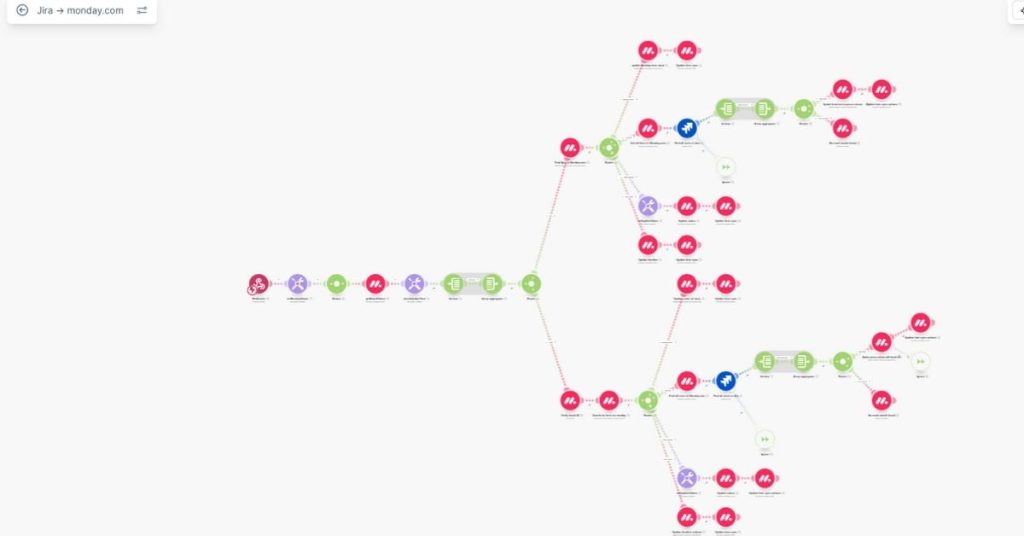
Our integration solves this by ensuring data flows reliably between Jira and monday.com. Key elements such as:
- Jira issues
- Status updates
- Progress changes and comments
are automatically synchronised into monday.com. This means teams working in monday.com get clear, real-time insight into technical progress without needing direct access to Jira.
Rebecca’s Role: Designing the Jira-to-monday.com Synchronisation

Our monday.com configurator, Rebecca, played a key role in supporting the Jira-to-monday.com side of this integration.

The Impact: Less Manual Work, Better Collaboration
Once tested and validated, the integration quickly became part of day-to-day operations. Teams experienced:
- Improved visibility across technical and non-technical teams
- Reduced manual updates and duplicated effort
- Stronger collaboration between delivery, operations, and stakeholders
- Clearer communication driven by shared, up-to-date data
Need a custom monday.com integration?
At enable.services, we specialise in making tools like monday.com and Jira work better together. Our integrations are designed to support real workflows, scale with your business, and deliver immediate value.
If you’re looking to connect monday.com and Jira in a way that truly supports your teams, we’re here to help. Need another integration similar to this one? Contact us today to explore how we can improve your company’s processes.



