
Address Lookup Add-on for SugarCRM
The Address Lookup add-on by enable.services makes adding addresses in SugarCRM quicker and easier. Powered by Google Places, it suggests addresses as you type and automatically fills in the relevant fields, helping your team save time and reduce mistakes.
Find and add addresses faster in SugarCRM
How does Address Lookup work?
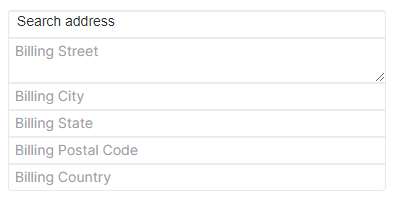
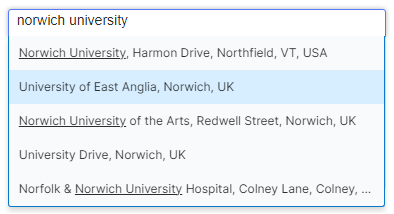
Address Search integrates with Google Places to make entering addresses in SugarCRM quicker and easier. Simply start typing a postcode or address into the Billing or Shipping fields on an Account, or the Primary or Alternative Address fields on a Contact or Lead, and select the correct address from the suggestions. The relevant address fields will then be populated automatically.
Key benefits
- Find and select addresses quickly using Google Places autocomplete
- Reduce typing errors and keep address details accurate
- Save time by automatically filling in address fields
- Keep address formats consistent across your CRM records
Example Use Case: Avoid manual entry errors
An inside sales rep is on a call with a new prospect and needs to register their shipping address. Instead of slowly typing in each line, street name, and zip code (and risking spelling errors), the rep types “100 Parl” into the custom shipping search field. The autocomplete list immediately suggests “100 Parliament St, London SW1A 2BQ, UK”. The rep clicks the suggestion, and the package instantly maps and populates the street, city, postal code, and country fields correctly.