

Mautic CRM Integration

Integrate your CRM with Mautic to align sales and marketing, synchronise contacts and campaigns, and create a complete view of customer activity across both platforms.

Mautic CRM integration

Why integrate Mautic with a CRM?

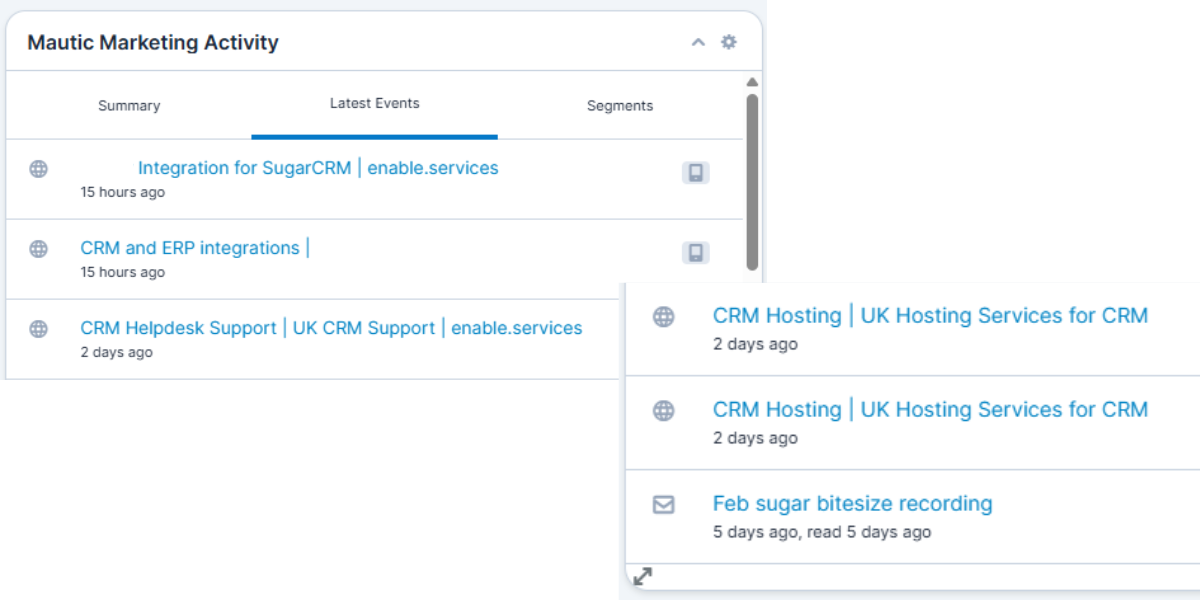
a screenshot showing a contacts webiste activity within sugar

Customer Journey Insight

Track website visits and engagement history within the customer journey view in your CRM. Sales gain clear insight into what prospects are interested in, enabling more relevant and timely conversations.
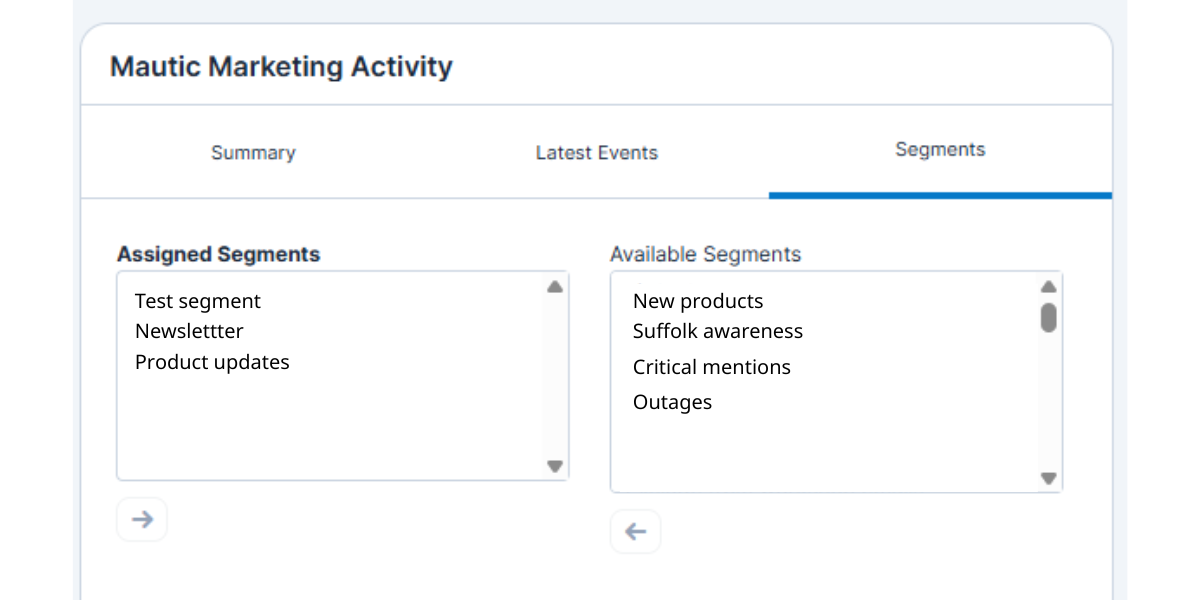
a screenshot showing the segments section within the mautic sugar integration

Campaign & Segment Control

Manage campaign entry directly from your CRM. Add or remove contacts from Mautic segments with a click, giving sales and marketing tighter coordination without switching systems.
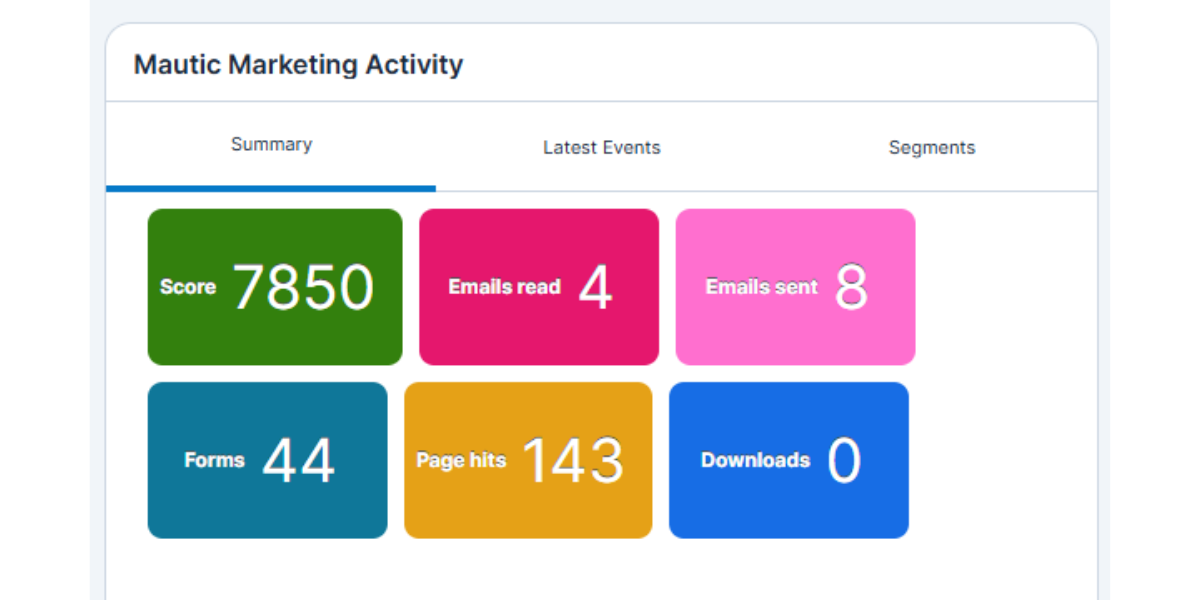
Complete Marketing Visibility

Once synced, sales teams can view contacts' entire engagement such as lead score, campaign participation, emails sent and opened, forms completed, and more, all directly within the CRM for full marketing context.
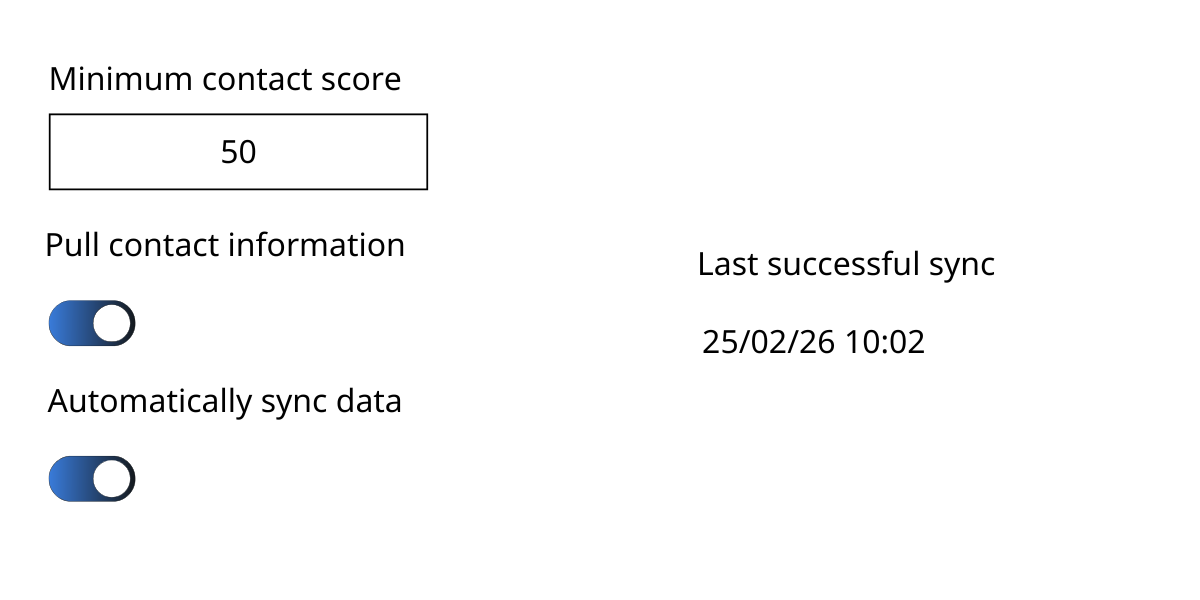
graphic showing the sugar to mautic sync screen in sugar

Intelligent Lead Qualification

Set scoring thresholds in Mautic so only engaged, sales-ready leads sync into your CRM. This ensures your CRM stays focused on viable opportunities, reducing noise and helping sales prioritise the right conversations.

Integrations by enable.services

Our team at enable.services brings deep Mautic expertise and UK-based support to every integration and deployment, ensuring your marketing automation runs smoothly from day one.

We don’t just connect systems, we help configure, optimise and support your Mautic setup, answering questions, fixing issues, and tailoring the solution to your needs so you’re never left to figure things out alone.

man holding a phone to his ear while sat at a desk

Discuss Your Integration Requirements

Interested in seeing how the integration could improve the way your business operates? Complete the form below and our team will be in touch shortly to discuss your integration needs.